The best metal detecting apps do one job well: turn a field day into a clear story, not a mess of screenshots. Usually that means historical maps over modern satellite imagery, a finds journal, and solid offline mode.
Below are selection criteria and scenarios — not a fake “top 10” ranking.
What should a detecting app do?
For maps and overlays, the checklist and workflow live in historical maps on your phone. Below we compare app types (maps / journal / AI), not a second overlay how-to.
App types you will see
Narrow map apps
Strong at historical overlays. Weaker at finds catalogue, community, and AI helpers. Think “historical maps first” tools.
Full GPS navigators
Excellent offline and layers (e.g. Locus-style navigators). Great as a map pocket, weaker as a finds diary unless you bolt extras on.
Coin catalogues / “virtual bag”
Help identify and organize finds. Not a field map workflow.
Field companion “all-in-one”
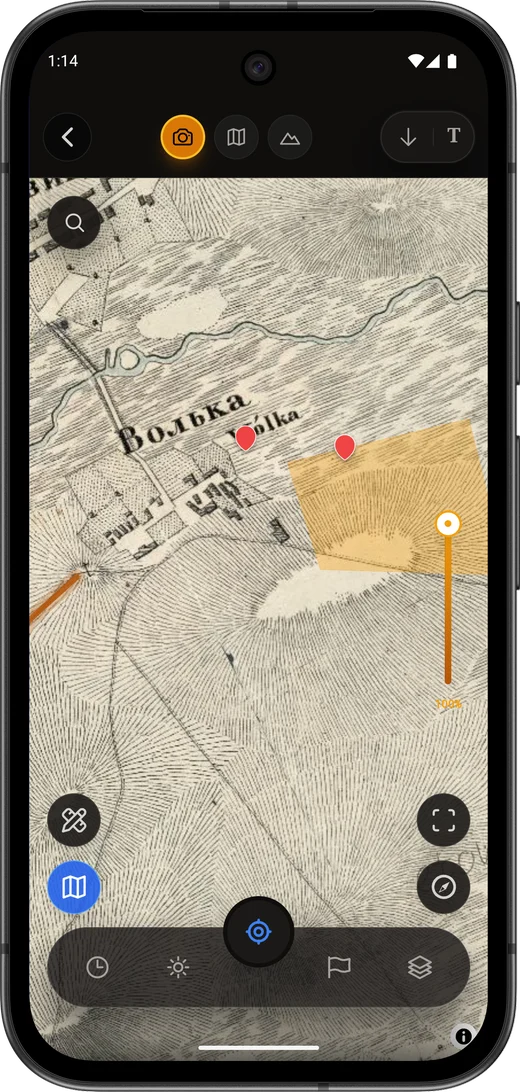
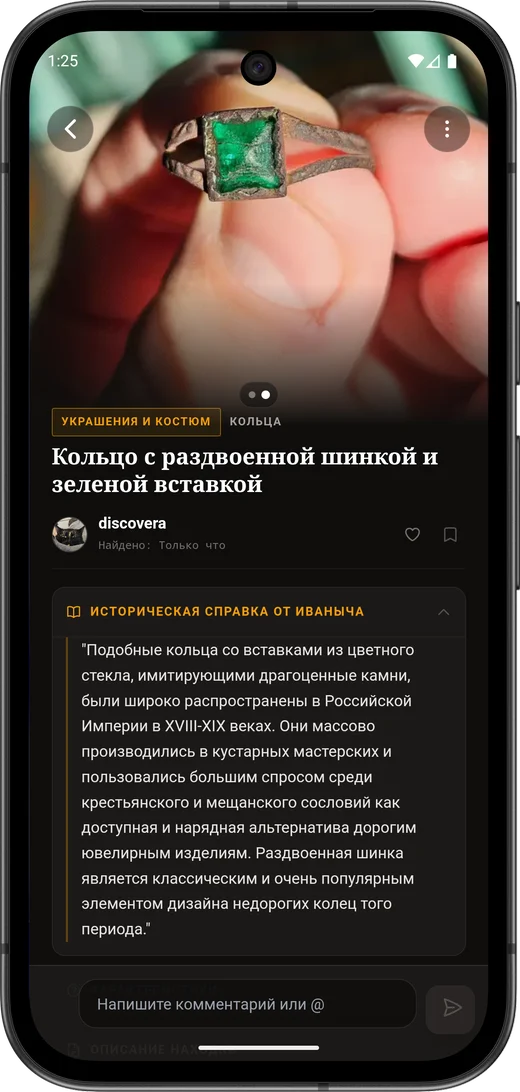
Maps + offline + catalogue + community. Discovera (Android) sits here: historical overlays, public map archive, AI lab, mentor chat, raids and feed.
When Discovera is the logical pick
Choose Discovera when you need the full trip loop, not only a map viewer:
- Plan on historical layers.
- Work offline.
- Save finds with context.
- Analyze photos in the AI lab.
- Use community map archive without publishing “treasure pin” dumps.
Discovera is Android-first. If you need iPhone-only map overlays, pick a specialized iOS map app.
Compare apps in five minutes
Android or iPhone?
Many field workflows are stronger on Android (offline map files, .sqlitedb import). Discovera is Android today.
Which region?
Local historical sources and law matter. Read the Academy legal guides.
Coin pricing?
Catalogue apps help. If you need place + history + find, pick a map + journal app.
Offline required?
Test offline areas and imports before you leave home.
FAQ
What is the best treasure hunting app?
The best one matches your scenario: maps-only, coin catalogue, or full field companion. For a full Android loop, start with Discovera.
Do I need several apps?
Often yes. Discovera reduces the stack if Android covers your needs.
Can an app show archaeological dig sites to loot?
No. Searching and removing archaeological objects without permits is illegal in many countries. Apps are for documentation, learning, and lawful hobby scenarios.
Where to get Discovera?
Google Play: Discovera. While the store listing is preparing, the site offers a waitlist.
Bottom line
For queries like “apps for metal detecting” or “old maps on phone”, start with criteria: overlay, offline, journal, law. For Android detectorists who want one coherent field companion, Discovera plus this Academy is the logical entry.